 Article
How to secure your Discord server: the complete checklist
Most hacked or raided servers had left a default setting on. This checklist goes through the Discord settings to check, in order: ten minutes are enough, and they shut the door on most attacks.
1. Set the verification level
In Server Settings, then Safety Setup, the verification level decides who can talk on arrival. The throwaway accounts used for raids rarely pass the high levels.
- Low: verified email.
- Medium: Discord account older than 5 minutes.
- High: member of the server for more than 10 minutes.
- Highest: verified phone number.
2. Turn on the explicit content filter
Discord’s explicit media filter scans the images sent on the server. Turn it on for all members, or at least for those without a role. It doesn’t replace moderation, but it blocks part of the shocking images posted during a raid.
3. Require 2FA for moderation
The “Require 2FA for moderator actions” setting forces every member who bans, kicks or deletes messages to have two-factor authentication turned on. A stolen password is then no longer enough to nuke the server. The owner must have 2FA turned on to require it.
4. Clean up the @everyone permissions
The @everyone role applies to every member, including those who just arrived. Remove what a new member doesn’t need.
- Mention @everyone, @here and all roles.
- Manage webhooks: a webhook can post under any name.
- Create invites, if you want to control who brings people in.
- Embed links and attach files in the welcome channels.
- Use external apps, if you don’t need them.
5. Organize the role hierarchy
On Discord, a member can only edit, ban or kick members whose highest role is below their own. The role list is your first barrier.
- Give the Administrator permission to as few people as possible.
- Create moderation roles with only the permissions they need.
- Put the staff roles, then your protection bot’s role, above the member roles.
- Review the list when a moderator leaves the team.
6. Audit bots and integrations
A compromised or abandoned bot with the Administrator permission is an open door. In Server Settings, then Integrations, check the list of bots and webhooks.
- Remove the bots you no longer use.
- Give each bot only the permissions it needs.
- Delete unknown or unused webhooks.
7. Keep invites under control
A permanent invite shared on a public list can bring a raid at any time. Prefer invites that expire, and delete the ones you no longer use. During an attack, Discord also lets you pause invites for a while from the server’s security actions.
8. Keep a record of everything
The audit log lists the team’s actions, but not the content of deleted messages. Create a staff-only log channel, and turn on notifications for serious alerts.
9. Add automatic protections
Discord’s settings set rules, but they don’t react to an ongoing attack. A raid or a nuke plays out in a few minutes, often when nobody is online: you need a bot that judges behaviour and acts on its own.
- An anti-raid: automatic raid mode, captcha and minimum account age.
- An anti-nuke: it counts each member’s channel and role deletions, bans and kicks.
- An anti-spam and a scam image filter.
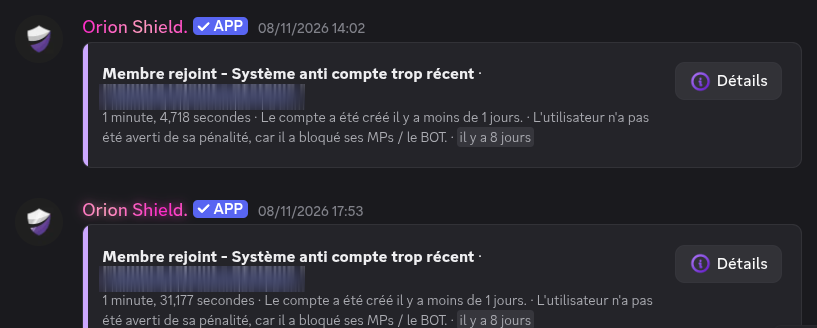
Two accounts less than a day old kept out on arrival by Orion Shield (in French)

Frequently asked questions
Which verification level should I pick on Discord?
For a public server, Medium or High keeps out most accounts created for a raid. Highest, with a verified phone number, is the safest but also puts off legitimate members.
How do I secure my Discord server against hacking?
Require 2FA for moderation, limit the Administrator permission, put sensitive roles at the top of the hierarchy, remove unused bots and add an anti-nuke that stops an account deleting channels or banning in a row.
Is Discord’s security enough without a bot?
Discord’s settings filter who gets in and limit rights, but they don’t react to an ongoing attack. A protection bot detects the raid or the nuke and stops it within seconds, even at night.
 Moderation
 Anti-nuke